


JumpJumpVPN: Fast & Secure
4.37.11K Reviews
App Specs
- Version
- 3.3.1
- Updated On
- License
- Free
- Downloads
- 100,000,000+
- Developer
- SOON BODYWERKZ
- Categories
- Tools
- Platform
- Android, iOS
Screenshots
 Analysis by AppCompare
A VPN is most useful when it solves a particular problem without turning every online task into a troubleshooting session. That is the standard I use when judging JumpJumpVPN: Fast & Secure: can it make a phone’s connection feel more manageable, and does the convenience justify relying on another service between me and the internet? It is a free tools app from SOON BODYWERKZ, and the simple premise is appealing, though a VPN should be chosen with care rather than treated as a magic fix for every network concern.
When the connection is the whole experience
A VPN matters most when an activity depends on a steady connection: joining a video call, checking a work account on public Wi-Fi, or loading a page while travelling. In those moments, ease of starting a connection is useful, but the VPN also becomes another link in the chain. If the network is already weak, adding a VPN cannot make the underlying signal stronger, and the extra routing can affect responsiveness. I would judge it by whether it remains practical for the task at hand, not by expecting it to rescue a poor connection.
For streaming, I would be cautious about assuming that a VPN automatically opens every catalogue or prevents every playback issue. Services can restrict access in different ways, and a VPN may not behave the same on every network or with every provider. If a show fails to load, switching connection settings repeatedly is not always worth the time; I would first check the ordinary connection, then try again without the VPN if the service itself is the priority. That small decision can save a lot of unnecessary fiddling.
Using it across everyday mobile situations
On a phone, the useful question is less “Is a VPN on?” and more “Does this connection fit what I’m doing right now?” A person checking messages in a café may value a protected route more than the lowest possible delay, while someone in a time-sensitive multiplayer match may prefer the direct connection if the VPN adds lag. Those are different needs, and I would not leave one setting in place simply because it worked well for a different activity.
A realistic day might mean checking a train update on station Wi-Fi, replying to a message while waiting, then switching to mobile data for a call. A VPN can be part of that routine, but handovers between Wi-Fi and cellular service are exactly when I would pay attention: if a page stops loading, confirm which network the phone is using before blaming the app. A quick reconnect can be more useful than changing several settings at once, because it helps identify whether the problem is the network transition or the VPN connection.
My practical tip is to test it before you need it. Try opening the everyday sites and apps you rely on over your usual home connection, then repeat on a network where you actually plan to use a VPN. That gives you a personal baseline for loading and responsiveness. It also makes it easier to spot when a work login, payment flow, or streaming service behaves differently with the VPN active, so you can make an informed choice instead of troubleshooting in a hurry.
What to do when a connection falters
Even a straightforward VPN can add one more possible source of friction: a slow network, an interrupted handover, or a service that dislikes traffic coming through a VPN. If something stops working, I would troubleshoot in a simple order. Check whether other apps can reach the internet, reconnect the VPN once, and then test the affected service again. If it still fails, temporarily compare with the VPN off. This is a diagnostic step, not a reason to assume that either the app or the service is broken.
Worth Reading Before You Choose

Baby Panda World Brings Quick Play to Modern Phones, but Its Game Library Feels Busy

ESPN’s Live Game View Makes Following Close Games Easier

QuizzLand Review: A Good Fit for Short Trivia Breaks, Not Every Player

Basketball Stars: Multiplayer Is Fast, but Can It Recover When Matches Go Wrong?

WEBTOON Turns Phone Updates Into a Better Reading Routine

Link to Windows Runs on Shared Habits, Not Social Feeds
It also helps to avoid making several changes together. If you change networks, switch servers, and alter app settings at the same time, you will not know which change mattered. For a banking or work task, I would use the connection that reliably completes the login rather than insist on keeping a VPN active at all costs. A VPN is a tool, not a substitute for the service’s own account security, a strong device passcode, or careful handling of suspicious links.
Data use, battery, and sensible expectations
VPN traffic still uses an internet connection, so it is not a way to avoid mobile-data charges or make a limited plan last longer. If you are streaming away from Wi-Fi, the video itself is likely to be the main data demand; the VPN changes how traffic is routed, not the basic fact that the content must reach your phone. I would save large downloads for a suitable connection and keep an eye on the phone’s normal data controls rather than expecting a VPN to reduce consumption.
There is a similar trade-off with battery and speed. Keeping a VPN active means the phone is maintaining an additional network connection, and real-world impact can vary with signal quality, device, and what you are doing. I would compare a typical browsing session with it on and off instead of assuming the effect will be identical for everyone. If the phone is running low or a call needs the most direct route possible, temporarily disconnecting may be the practical choice.
First Impressions and Setup
Downloading and setting up JumpJumpVPN: Fast & Secure is a breeze. It's available on both Android and iOS, so whether you're team Android or an iPhone aficionado, you're covered. The app doesn't bombard you with a maze of options; instead, it guides you through a straightforward setup process.
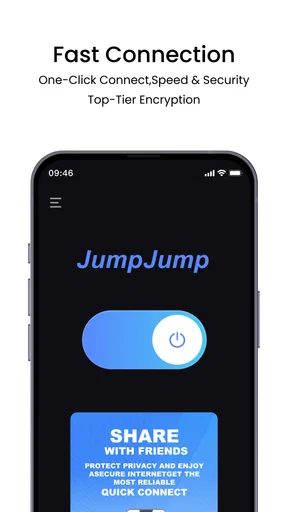
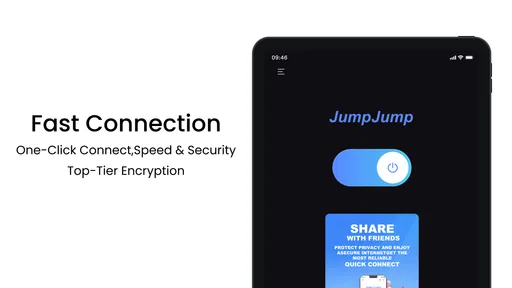
Once installed, you're greeted with a clean and intuitive interface. Seriously, even if you're new to this whole VPN thing, you won't feel lost. Just tap a button and whoosh—you're connected. It's as easy as ordering pizza on a lazy Friday night.
Speed and Performance
Let's talk speed, because nobody's got time for buffering. With JumpJumpVPN, you can expect a swift connection that doesn't slow you down. I tested it on multiple platforms—streaming, gaming, you name it—and it held up impressively well. It's almost like having your cake and eating it too.
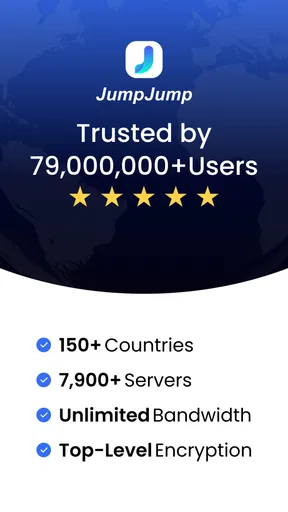
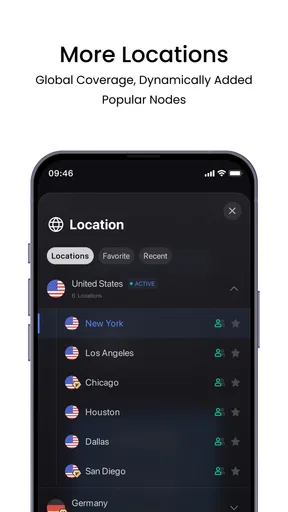
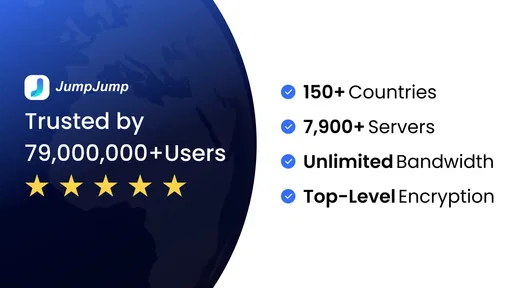
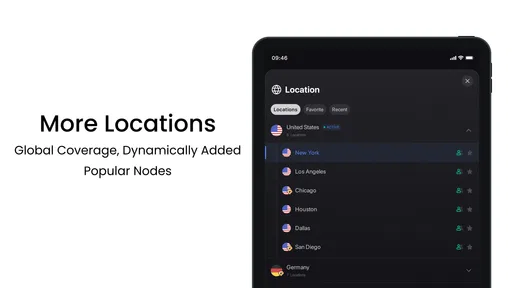
There are servers all over the globe, so whether you're in New York or New Delhi, you're in for a seamless experience. The app switches servers quicker than you can say "buffering," ensuring you're always connected to the fastest option available.
Security Features
Now, onto the serious stuff: security. In a world where online privacy is paramount, JumpJumpVPN doesn't skimp on protection. It encrypts your data, keeping those pesky hackers at bay. What I love here is the no-logs policy, meaning your data isn't being stored or sold. It's like having a secret handshake with the internet.
There's also an automatic kill switch feature. If your connection ever drops (which it rarely does), this feature kicks in, ensuring your data isn't exposed. It's like having a safety net when you're walking a tightrope.
User Experience and Support
The app doesn't just excel in performance and security; it also nails the user experience. It's sleek, easy to navigate, and doesn’t bombard you with ads. There's a certain elegance in its simplicity, making it a joy to use.
And if you ever hit a snag, their support team is just a click away. They offer 24/7 support, which is a lifesaver when you're stuck at 2 AM trying to figure out why your connection's acting up. Plus, their FAQ section is pretty comprehensive, so you might find your answer there without needing to reach out.
Who will get the most from it
I see the strongest case for a VPN like this in a person who often connects from changing networks and wants a simple way to add a privacy layer without learning a lot of networking terminology. JumpJumpVPN is also approachable for someone trying a VPN for the first time: the low-friction setup makes it easier to test the idea in ordinary browsing before deciding whether it belongs in a daily routine.
It is less compelling for someone whose main requirement is a specific technical configuration, transparent independent auditing, or detailed controls over how every connection is routed. In that situation, I would compare specialist VPN tools and read their technical and privacy documentation before choosing. Likewise, if your home network is already trusted and your main concern is reducing latency for a game, using a VPN by default may add complexity without solving the problem.
How it fits beside other VPN choices
Compared with setting up a VPN manually through a phone’s network settings, an app-led approach can be easier to start and manage. That convenience is the main reason I would consider JumpJumpVPN over a manual setup for casual use. A manually configured connection can suit people who already know which provider and settings they want, while a dedicated app is more approachable when the goal is simply to connect without handling configuration details.
Against other one-tap VPN apps, the important comparison is not just how quickly the button works. I would weigh the privacy information, the locations and controls available in practice, how reliably familiar services load, and whether the free experience fits my needs. JumpJumpVPN has a 4.6 average from around 814,000 ratings, with more than 50 million installs, which shows that many people have tried it; those figures are useful context, but they cannot tell me whether it suits my own network or privacy requirements.
Price, version, and a sensible trial
The app is free to install and use, with optional in-app purchases ranging from $3.99 to $23.99 per item. I would start with the free experience and only consider paying if I understood exactly what an upgrade provides and knew I would use it. That is especially important with VPN apps, where a price alone does not establish the strength of privacy protections or the suitability of a service for sensitive work.
JumpJumpVPN is rated for Everyone, and its current version is 2.9.5; it was released on September 6, 2023, and requires Android 7.0 or later. Before installing, I would check that the phone meets the operating-system requirement and that there is enough room for another networking app. After installation, I would test a few ordinary tasks—opening a familiar site, signing into a non-sensitive account, and moving between Wi-Fi and mobile data—before depending on it for something urgent.
Final Thoughts
So, should you give JumpJumpVPN: Fast & Secure a try? Absolutely. It's a solid choice for anyone needing a reliable VPN that doesn't compromise on speed or security. Whether you're streaming your favorite shows, gaming, or just surfing the web, this app delivers on its promises.
In a nutshell, it's like having a trusty sidekick that ensures your online adventures are both safe and swift. So go ahead, give it a whirl and experience the internet without borders. Happy surfing!
My connectivity verdict
My recommendation is to treat it as a convenient option to test, not as a guarantee that every connection will be faster, private in every possible sense, or accepted by every website. Its simple setup is appealing, and a large user base gives a newcomer a familiar starting point, but the right choice still depends on what you need to protect and how much control you expect. For casual mobile browsing across changing networks, it may be worth trying; for demanding technical needs or a service that requires a direct connection, I would compare alternatives and choose accordingly.
Pros
- High-speed connection for streaming.
- User-friendly interface design.
- Strong encryption for privacy.
- No-log policy ensures anonymity.
- Supports multiple devices.
Cons
- Limited server locations available.
- Occasional connection drops.
- Free version has data limits.
- Ads in the free version.
- Customer support can be slow.
FAQs for JumpJumpVPN: Fast & Secure
How does JumpJumpVPN ensure my online security?
JumpJumpVPN employs advanced encryption protocols to secure your internet connection. This means that all your data is encrypted, making it difficult for hackers or third parties to access your sensitive information. Additionally, the app offers a no-logs policy, ensuring that your browsing history is not stored or tracked.
Is JumpJumpVPN easy to set up and use?
Yes, JumpJumpVPN is designed for user-friendliness. After downloading the app, setup takes just a few minutes with step-by-step instructions. The interface is intuitive, allowing users to connect to a server with a single tap. It’s suitable for both tech-savvy users and beginners alike.
What platforms is JumpJumpVPN compatible with?
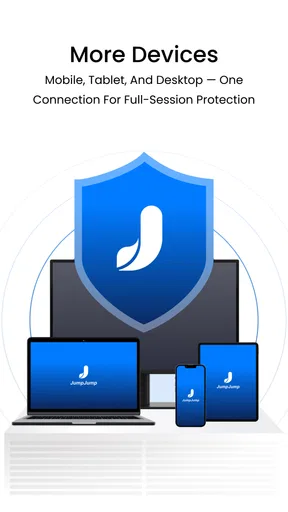
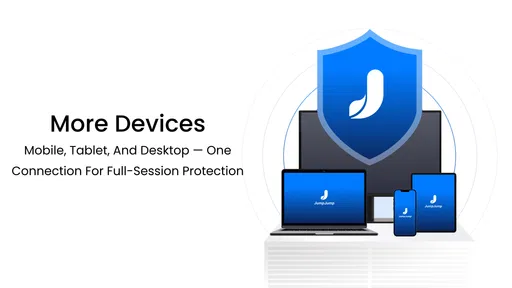
JumpJumpVPN is available for both Android and iOS devices, ensuring broad compatibility across mobile platforms. Additionally, it supports various operating systems for desktop use, including Windows and macOS, making it a versatile solution for all your devices.
Does JumpJumpVPN affect internet speed?
While using a VPN might slightly reduce your internet speed due to encryption processes, JumpJumpVPN is optimized to minimize this impact. It provides fast and reliable connections with a wide range of server locations, ensuring smooth browsing and streaming experiences.
What customer support options does JumpJumpVPN offer?
JumpJumpVPN provides comprehensive customer support, including a detailed FAQ section and 24/7 live chat assistance. Users can also reach out via email for more complex inquiries. The support team is responsive and knowledgeable, ensuring that any issues are resolved promptly.


